Alarms only mode#
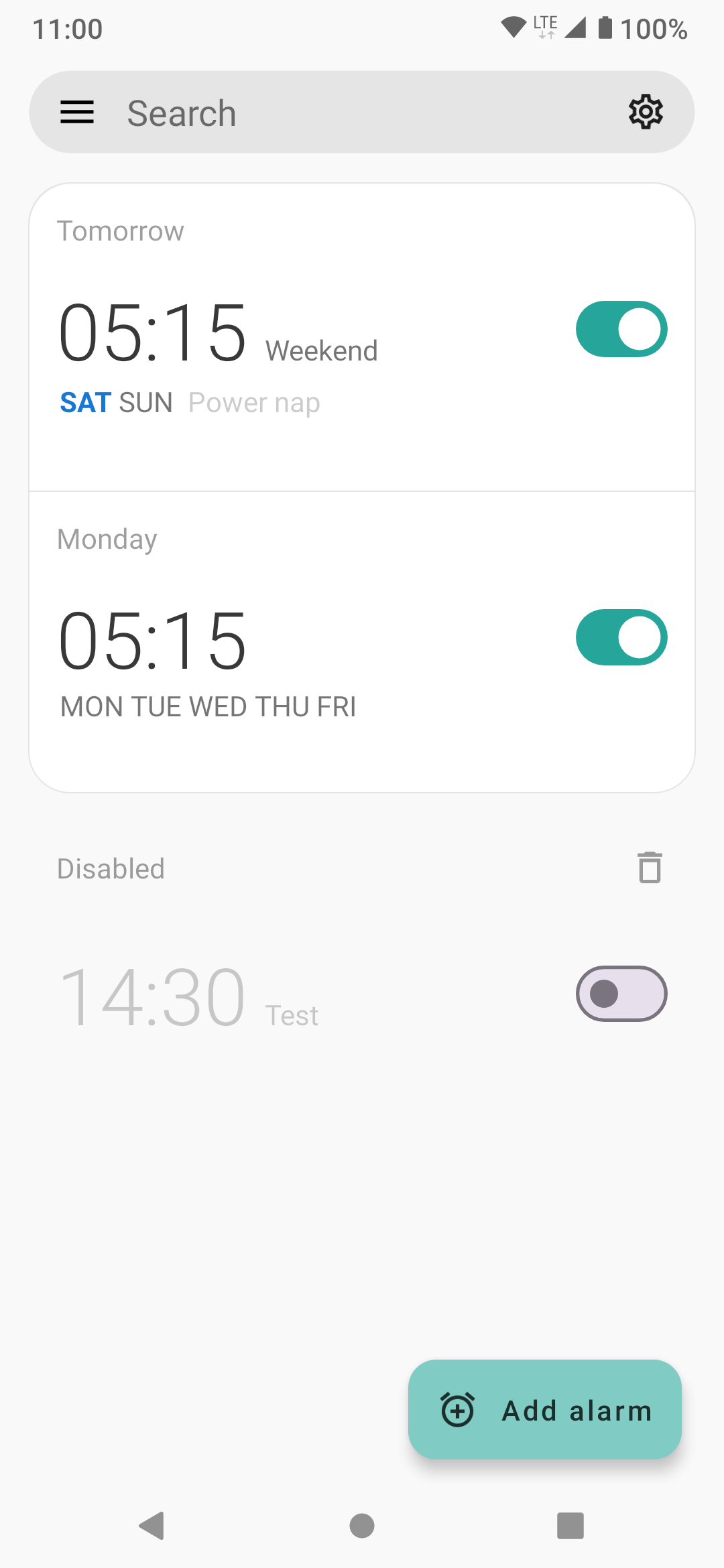
Alarms Only Mode is a streamlined interface designed for users who strictly use Sleep as Android for its advanced alarm features and do not require sleep tracking or data analysis.
When this mode is active, your home screen is dedicated entirely to your alarm list, providing a clean and distraction-free experience.
Enabling this mode hides all sleep-tracking related features from the Settings menu and the Left ☰ menu (unless you have existing sleep history).
Menu Paths:
- Left ☰ menu → Home screen layout → Alarms only
- Settings → Personalize → Home screen
Features & Behavior#
- Minimalist Interface: All tracking-related cards, tabs, and buttons are removed, leaving your alarms as the primary focus.
- Simplified Settings: The app hides tracking-related configuration options (like wearables, sonar, or movement sensitivity) to make managing your wake-up routine easier.
- Essential Support: You still have full access to advanced alarm tools like CAPTCHAs, Gentle Volume, and Backup Alarms.
Other Layout Options#
If you find this mode too restrictive, you can choose from our more feature-rich home screen styles: