Get started with Sleep as Android app#
Welcome to Sleep as Android! This short guide will help you with the first steps.
Your First Night 🌙#
The goal of your first night is to find the “perfect window” to wake up. The result? You wake up feeling like you did it naturally, refreshed and ready for the day.
- ✔️ Set Alarm: Tap (+) → Set time → Save.
- ✔️ Start Tracking: Tap the
 Start sleep tracking
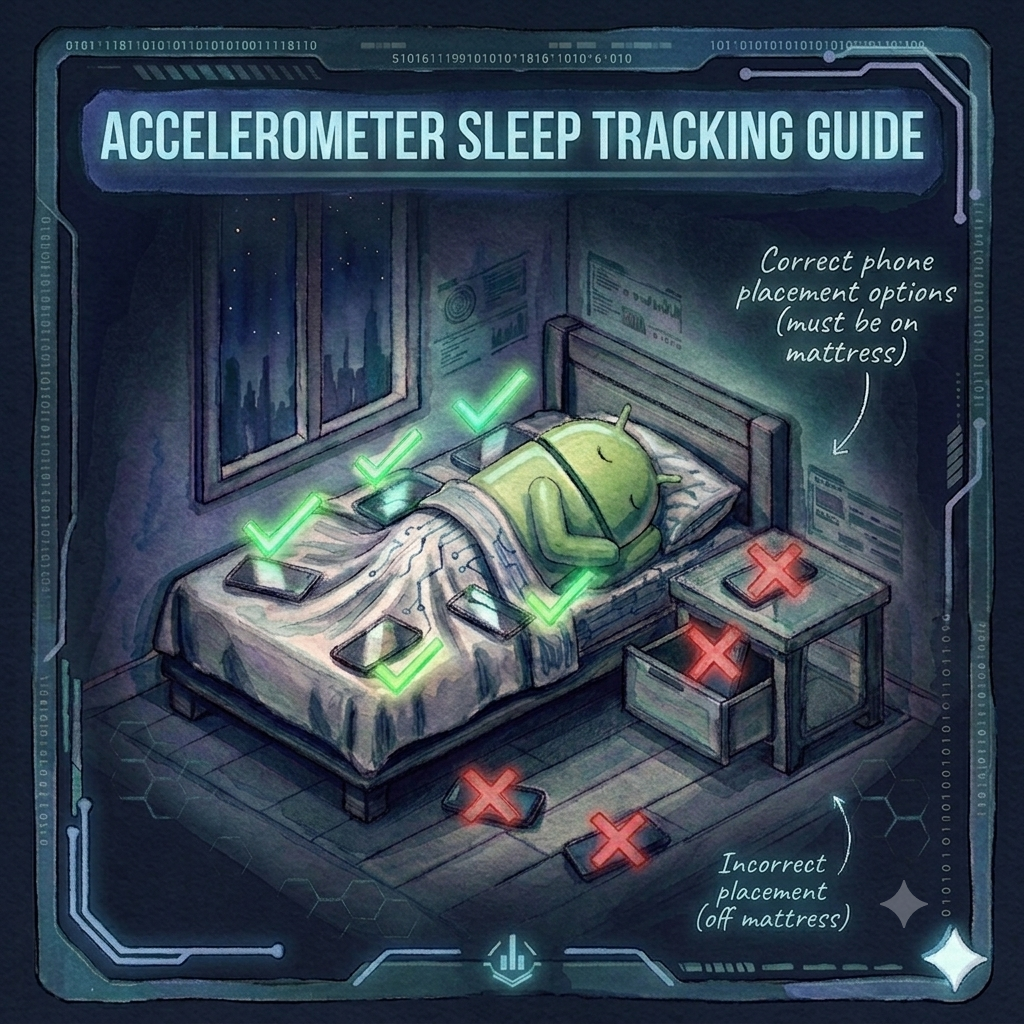
 - ✔️ Place Phone: Place the phone on your mattress, screen down, and ensure Do Not Disturb (DND) is on.
Your First Morning ☀️#
What am I looking at?
- Sleep Score: Your ultimate nightly summary, condensing all sensor data into a single percentage - the higher the better.
- The Big Picture: Each dial focuses on one metric (Duration, Deep Sleep, etc.). Think of these as progress rings; the further the color fills the circle, the closer you are to your optimal goal.
- Decoding the Graph: The Hypnogram and Phases cards visualize your sleep journey as a timeline. The height of the graph represents your sleep depth, from Deep Sleep at the base up to Awake at the peak.
- Tap for Details: Tap any graph card to open the Full Graph view. This overlays all your data onto a single timeline to help you see connections.
Want a full breakdown of your Morning screen? Read our Morning Screen Guide to learn more.
Choose Your Tracking Style#
- Standard: Phone on the mattress for accelerometer tracking.
- Contactless: Try Sonar, best for nightstands.
- Wearables: Connect your Smartwatch.
Explore Possibilities#
Sleep fuels everything you do: your health, your mood, and your energy. Tracking your rest is a journey of discovery, revealing how daily habits like a late coffee or a workout impact your recovery.
Advanced Features to Explore#
- CAPTCHAs: Stop oversleeping by requiring a task to be solved before the alarm turns off.
- Lullabies: Fall asleep faster with natural soundscapes or white noise.
- Automatic Tracking: Let the app start tracking for you so you never forget a night.
- Cloud Backup: Keep your data safe and synced across devices with SleepCloud.
Think of this app as your personal sleep laboratory. You can keep it simple with our “plug and play” defaults or dive deep into advanced tools like snoring detection, shift-work support, and dynamic lullabies.
Why Track Your Sleep?#
Sleep is a fundamental pillar of health. Consistent monitoring helps you understand how your lifestyle choices (like caffeine, exercise, or late-night screen time) impact your rest.
The two main benefits are:
- Insight: Identify long-term patterns and improve your sleep habits over time.
- Smart Wake-up: Our signature feature identifies when you are in a light sleep phase and wakes you up gently, preventing that “groggy” feeling in the morning.
What Does the App Measure?#
To build a 360-degree map of your night, Sleep as Android analyzes data from several sources:
- Movement: Uses your movement sensors to estimate sleep phases via actigraphy.
- Vitals: Collects heart rate (HR), variability (HRV), and blood oxygen (SpO2).
- Environment: Monitors ambient light and noise levels (snoring, talking, or disturbances).
- Lifestyle: Uses your custom
#tagsto correlate daily activities with nightly results.
Need a hand?#
If you run into any trouble, we’re just an email away to help you get back on track!
- Quick Tips: Tap the (?) in the top right corner whenever you’re curious about a feature, it’ll take you right to the relevant guide.
- Get in Touch: For personal support, feel free to email us at support@urbandroid.org. We’re always happy to help!