Naps#
Need a quick power-up or a short afternoon rest? The Naps feature lets you set a timer-based alarm that rings after a specific duration (e.g., in 20 minutes) rather than at a specific time of day (e.g., at 2:15 PM).
How Naps Differ from Regular Alarms#
- Regular Alarm: Scheduled for a fixed time on the clock (e.g., wake up at 7:00 AM).
- Nap Alarm: Counts down from the moment you set it (e.g., wake up in 15 minutes).
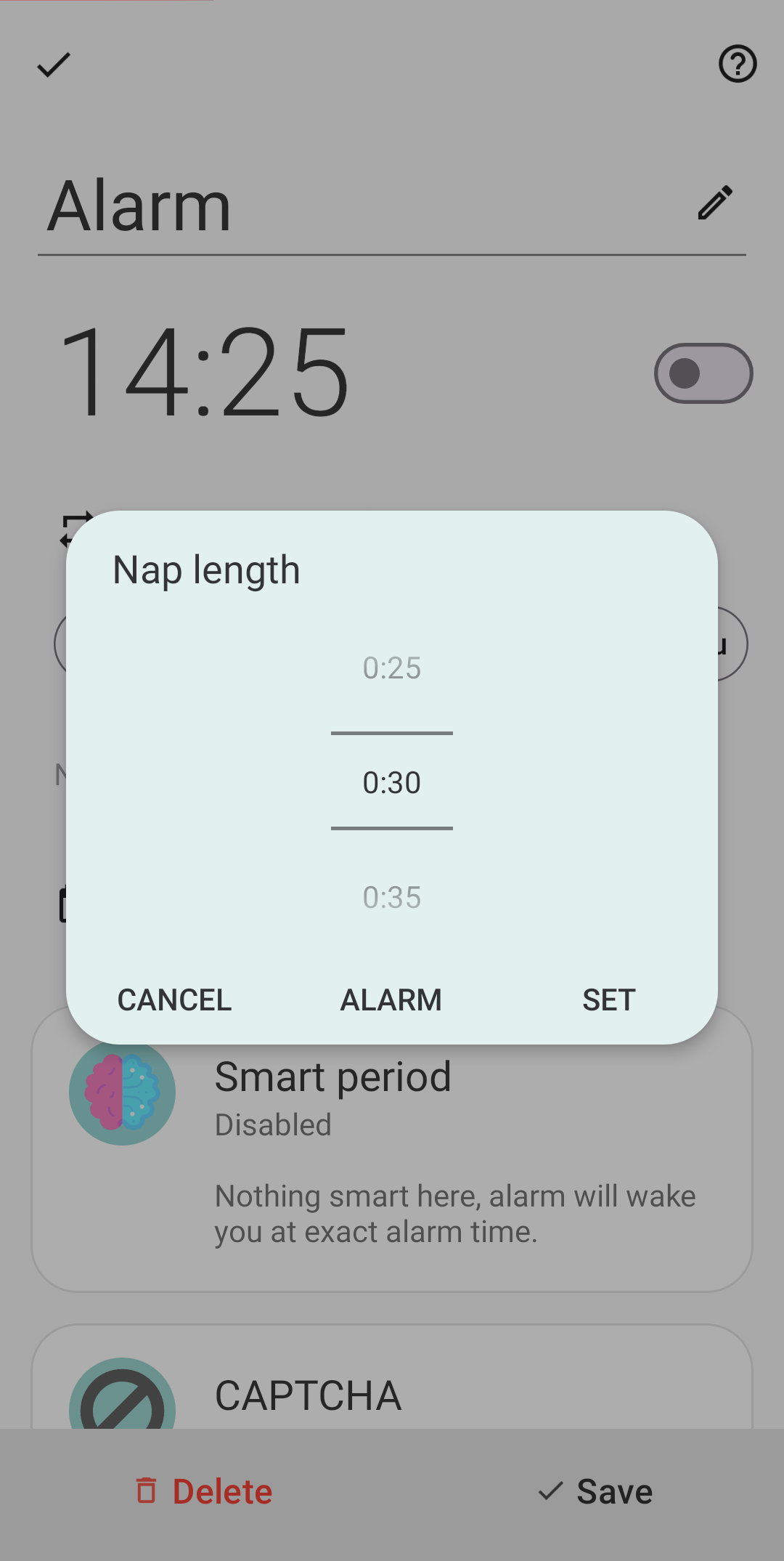
Nap durations can be customized anywhere from 1 minute up to 10 hours.
How to Create a Nap Alarm#
- Open Sleep as Android and go to the Alarms screen.
- Tap the (+) Add alarm button.
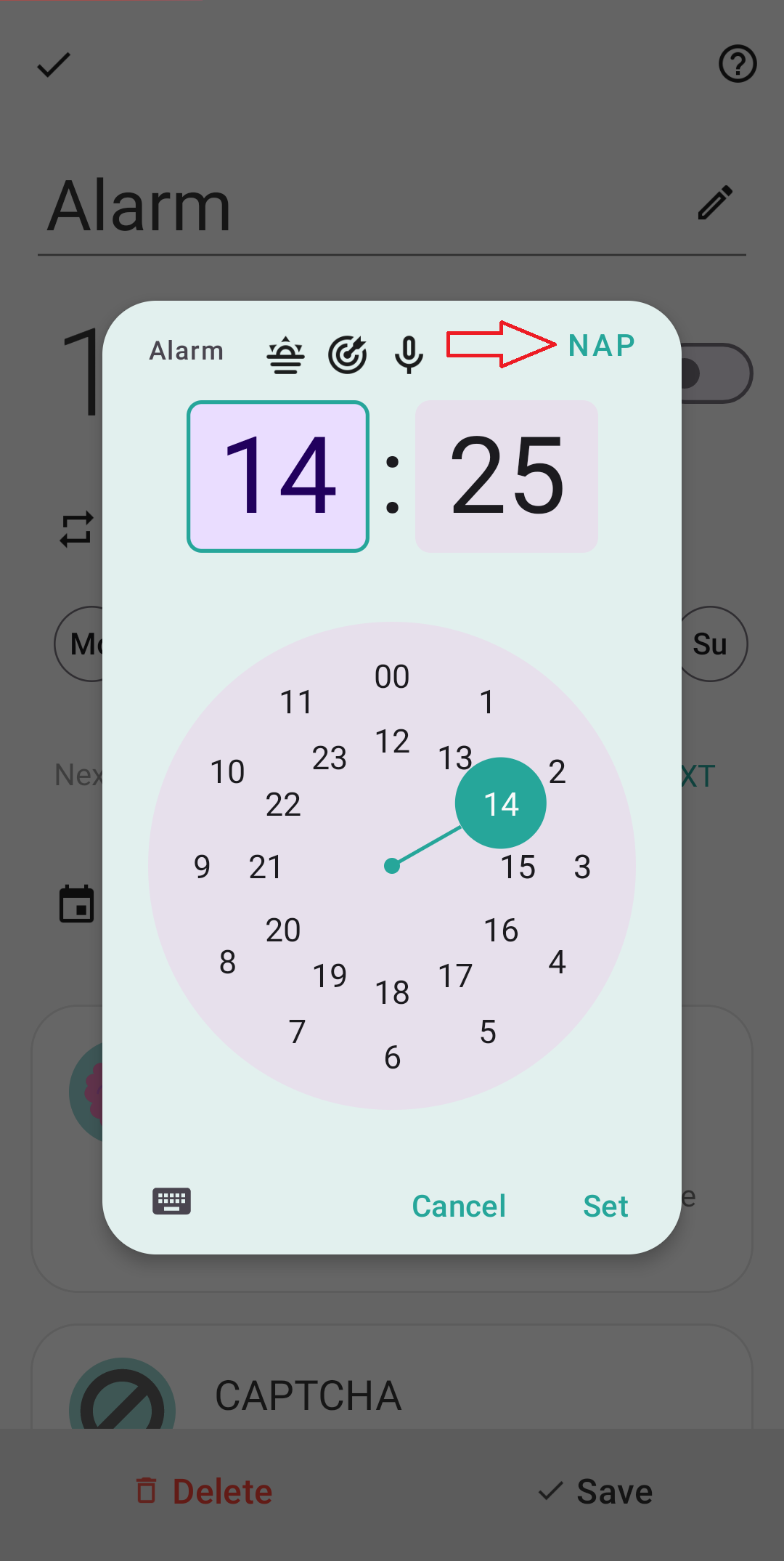
- On the time picker, switch to Nap mode.
- Choose your desired nap duration from the list (or set a custom length).
- Save the nap to start the countdown!
Managing Nap Settings#
- Automatic Cleanup: By default, nap alarms automatically delete themselves after they ring and are dismissed. This keeps your main alarm list clean and clutter-free!
- Reusing Nap Alarms: If you take the same quick nap regularly and want to keep it saved, you can turn off automatic deletion:
- Open the specific nap’s settings.
- Uncheck Delete after ringing.
Need further help? Contact us via Left ☰ Menu → Support → Report a bug.