Alarm goes off again after dismiss
If your alarms go off again several minutes after you has just dismissed them, check, if the Wake-up check feature is not enabled in Settings → Alarms → CAPTCHA → Wake-up check or in per-alarm settings → CAPTCHA → Wake-up check.
This feature requires a confirmation of the Wake-up check notification. If you don’t confirm it, the alarm is triggered again.
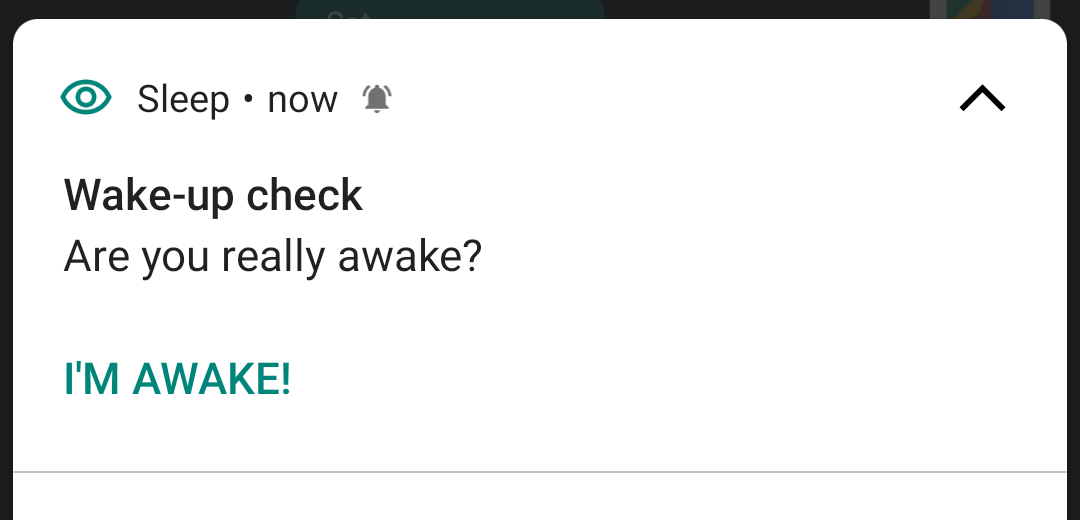
If you want to use this feature, but you do not see the Notifications, check the configuration of the notification behavior in the system settings → Apps → Sleep as Android → Notifications → Weak up check.
The default configuration of the notification is "silent" (it is supposed to be part of the quest, so you need to confirm you are woken up by opening the notification actively). But you can change this if it will suit you better. The notification can have sound or vibrations, or also a pop-up notification.
Tags: alarms, CAPTCHA